top of page
Search

Exploring Mountain Ranges: Nature's Geographic Marvels

Updated: Nov 14, 2025

Mountain ranges are among the most breathtaking and awe-inspiring features of our planet. They not only shape the landscape but also influence climate, biodiversity, and human culture. From the towering peaks of the Himalayas to the rugged beauty of the Rockies, each mountain range tells a unique story of geological history and natural wonder. In this blog post, we will explore some of the most significant mountain ranges in the world, their formation, and the diverse ecosystems they support.
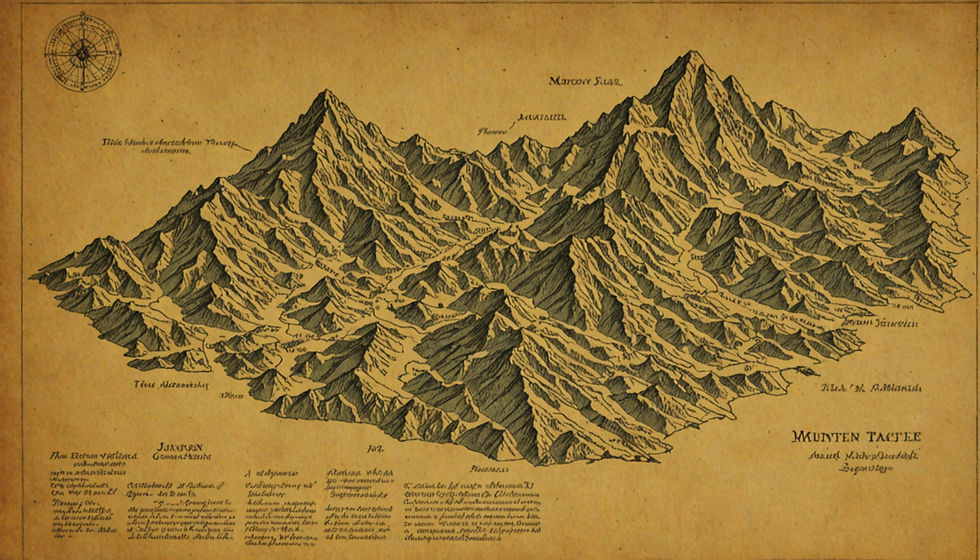

A stunning view of a mountain range showcasing its grandeur and beauty.

The Formation of Mountain Ranges


Mountain ranges are formed through various geological processes, primarily tectonic activity. The Earth's crust is divided into several large plates that float on the semi-fluid mantle beneath. When these plates collide, they can create mountains through a process called orogeny.


Types of Mountain Formation


  1. Fold Mountains: These are formed when two tectonic plates collide, causing the Earth's crust to fold. The Himalayas, which include Mount Everest, are a prime example of fold mountains.


  2. Fault-block Mountains: These mountains are created when faults in the Earth's crust cause blocks of rock to be lifted or tilted. The Sierra Nevada in California is a classic example of fault-block mountains.


  3. Volcanic Mountains: Formed by volcanic activity, these mountains arise when magma from beneath the Earth's crust erupts onto the surface. Mount St. Helens in Washington State is a well-known volcanic mountain.


  4. Plateau Mountains: These are formed when erosion wears down the land, leaving behind elevated flat areas. The Colorado Plateau is an example of this type of mountain formation.


Understanding how these mountains are formed helps us appreciate their complexity and the ecosystems they support.


The Himalayas: The Roof of the World


The Himalayas are the highest mountain range in the world, stretching across five countries: India, Nepal, Bhutan, China, and Pakistan. This majestic range is home to some of the planet's tallest peaks, including Mount Everest, which stands at 8,848 meters (29,029 feet).


Biodiversity in the Himalayas


The Himalayas are not just about towering peaks; they also boast incredible biodiversity. The range is home to numerous species of flora and fauna, many of which are endemic to the region.


  • Flora: The lower slopes are covered with lush forests of oak, rhododendron, and pine, while higher elevations feature alpine meadows and hardy shrubs.


  • Fauna: The region is home to iconic wildlife such as the snow leopard, red panda, and Himalayan tahr. Conservation efforts are crucial to protect these species from habitat loss and poaching.


Cultural Significance


The Himalayas hold immense cultural and spiritual significance for many communities. They are often referred to as the "abode of the gods" in Hinduism and Buddhism. Pilgrimages to sacred sites like the Kedarnath and Badrinath temples attract thousands of devotees each year.


The Andes: A Continuous Mountain Range


The Andes is the longest mountain range in the world, stretching over 7,000 kilometers (4,300 miles) along the western edge of South America. This range runs through seven countries: Venezuela, Colombia, Ecuador, Peru, Bolivia, Chile, and Argentina.


Unique Ecosystems


The Andes are known for their diverse ecosystems, ranging from tropical rainforests to arid deserts.


  • Tropical Andes: The northern part of the Andes is characterized by lush rainforests, rich in biodiversity. This area is home to unique species such as the Andean condor and the spectacled bear.


  • Altiplano: The high plateau region, known as the Altiplano, features a harsh climate and is home to the indigenous Aymara and Quechua people. The Altiplano is also famous for its salt flats, such as Salar de Uyuni in Bolivia.


Economic Importance


The Andes play a crucial role in the economies of the countries they traverse. They are rich in minerals, including copper, silver, and lithium, which are essential for various industries. Additionally, the mountains provide water resources for agriculture and hydroelectric power.


The Rockies: A North American Treasure


The Rocky Mountains, often referred to as the Rockies, are a major mountain range in North America, extending from Canada to New Mexico. Known for their stunning landscapes and outdoor recreational opportunities, the Rockies attract millions of visitors each year.


Outdoor Activities


The Rockies offer a wide range of outdoor activities, making them a popular destination for adventure seekers.


  • Hiking and Camping: With numerous national parks, such as Rocky Mountain National Park and Glacier National Park, hikers can explore breathtaking trails and camp under the stars.


  • Skiing and Snowboarding: In the winter, the Rockies transform into a winter wonderland, attracting skiers and snowboarders to resorts like Aspen and Vail.


Conservation Efforts


The preservation of the Rockies is vital for maintaining their natural beauty and ecological health. Conservation organizations work tirelessly to protect the habitats of endangered species and promote sustainable tourism practices.


The Alps: A European Icon


The Alps are one of the most famous mountain ranges in the world, stretching across eight countries: France, Switzerland, Italy, Germany, Austria, Slovenia, Liechtenstein, and Monaco. Known for their picturesque landscapes and charming villages, the Alps are a popular destination for tourists year-round.


Cultural Heritage


The Alps are rich in cultural heritage, with a history that dates back thousands of years. The region is known for its unique architecture, traditional cuisine, and vibrant festivals.


  • Architecture: Alpine villages feature charming wooden chalets and stone houses, reflecting the region's history and culture.


  • Cuisine: The Alps are famous for their hearty dishes, such as fondue, raclette, and rösti, which are enjoyed by locals and visitors alike.


Environmental Challenges


Despite their beauty, the Alps face significant environmental challenges, including climate change and tourism pressure. Rising temperatures are causing glaciers to melt, impacting water resources and ecosystems. Sustainable tourism practices are essential to protect this iconic mountain range for future generations.


The Appalachian Mountains: A North American Gem


The Appalachian Mountains are one of the oldest mountain ranges in North America, stretching over 2,400 kilometers (1,500 miles) from Canada to the southern United States. Known for their rolling hills and rich biodiversity, the Appalachians are a treasure trove of natural beauty.


Biodiversity Hotspot


The Appalachians are home to a diverse range of plant and animal species, many of which are found nowhere else on Earth.


  • Flora: The region is characterized by dense forests of oak, maple, and pine, providing habitat for countless species.


  • Fauna: Wildlife such as black bears, deer, and various bird species thrive in the Appalachian ecosystem. The region is also known for its rich variety of wildflowers, particularly in the spring.


Cultural Significance


The Appalachian Mountains have a rich cultural history, with deep roots in Native American traditions and early European settlements. The region is known for its folk music, crafts, and storytelling, which continue to be celebrated today.


Conclusion


Mountain ranges are not just geographical features; they are vital ecosystems that support diverse life forms and hold cultural significance for many communities. From the towering Himalayas to the rolling Appalachians, each range offers unique experiences and challenges. As we explore these natural wonders, it is essential to prioritize conservation efforts to protect their beauty and biodiversity for future generations.


Whether you are an adventurer seeking thrills or a nature lover looking for tranquility, the world's mountain ranges invite you to explore their majestic landscapes and discover the stories they hold. So, pack your bags, lace up your hiking boots, and embark on an unforgettable journey through nature's geographic marvels.


Comments


  • Facebook
  • Instagram
  • X
  • TikTok

ou said
is minecraft realms crossplay?
Gemini said
The short answer is yes, but with one major "Gotcha."
Minecraft Realms supports crossplay only within the same "Edition" of the game. Because Minecraft is built on two different technical engines, they can't talk to each other through the official Realms service.
1. The Bedrock Edition (The "Universal" Crossplay)
If you have a Bedrock Realm, crossplay is seamless. This is the version found on almost every device.

  • Who can play together: Players on Xbox, PlayStation, Nintendo Switch, iPhone, Android, and Windows 10/11 PC.

  • Requirements: Everyone needs a Microsoft Account, and console players (Xbox/PS/Switch) usually need their console's online subscription (like Game Pass Core or Nintendo Switch Online).

2. The Java Edition (The "PC-Only" Crossplay)
If you have a Java Realm, crossplay is much more limited.

  • Who can play together: Only players on Windows, macOS, and Linux.

  • The Restriction: You cannot join a Java Realm from a console or a phone.

The "Spicy" Reality: Can you bridge the gap?
If you have some friends on Java (PC) and some on Bedrock (Consoles), Realms will not work for you. To get everyone in the same world, you have to skip Realms and use a third-party server (like the ones I mentioned earlier: Apex, Bisect, etc.) and install a plugin called GeyserMC.

  • GeyserMC acts as a "translator" that allows Bedrock players to join Java servers.

  • This is the only way to have a Nintendo Switch player and a Java Edition PC player building in the same world.

Summary Table

Feature
Bedrock Realms
Java Realms
PC Support
Windows 10/11
Windows, Mac, Linux
Console Support
Xbox, PS, Switch
No
Mobile Support
iOS, Android
No
Cross-Edition?
No (Bedrock only)
No (Java only)
Do you know which editions your friends are using, or should I help you figure out how to check?
You said
Can I install mods on a bedrock server hosted by any of the companies you listed for a crossplay experience?
Gemini said
This is where things get a bit "technical" under the hood, but the short answer is: Yes, but with a very important limitation.
To have a crossplay server (Java + Bedrock) with mods, you must use the Java Edition of the game as your "base" and then use a tool called GeyserMC to let Bedrock players join.
🛑 The "Big Catch" with Mods
There are two types of mods in Minecraft:

  • Server-Side Mods: These add things like new commands, better performance, or land-claiming. These work perfectly for everyone.

  • Client-Side Mods: These add new blocks, items, or mobs (like Twilight Forest or Create).

  • The Problem: Bedrock players cannot see or use these new items. Because their game doesn't have the "code" for a new modded block, the server can't "translate" it to their screen. They will likely see an invisible block or just crash.

How to do it with the hosts I listed:
If you still want to try this, here is how you would set it up on a professional host like Apex or Bisect:

  • Select a Java Server: Do NOT buy a "Bedrock" or "Pocket Edition" server. Buy a Java Edition server.

  • Install GeyserMC & Floodgate: Most of these hosts have a "One-Click" installer for these in their panel.

  • GeyserMC is the bridge.

  • Floodgate allows Bedrock players to join without needing to buy a separate PC copy of the game.

  • Use "Plugins" instead of "Mods": If you want 100% compatibility for your 20 friends, use PaperMC or Spigot as your server type. You can then add "Plugins" which act like mods but are fully compatible with Bedrock.

  • Examples of fun crossplay-safe plugins: McMMO (leveling system), EssentialsX (homes/teleporting), and GriefPrevention (protecting houses).

🏆 Which host is best for this specific setup?

  • Apex Hosting: They have the best pre-configured "Crossplay" version. You can literally select "Crossplay" from a dropdown menu when you buy it, and they handle the Geyser/Floodgate setup for you.

  • Nodecraft: Excellent if you want to use Fabric (a mod loader). They have specific guides on running Geyser on Fabric so you can have some server-side mods while keeping Bedrock players happy.

Summary: The "Crossplay Dream" Checklist

  • Goal: 20 players on different devices playing together.

  • The Setup: Java Server + GeyserMC + Floodgate.

  • The Content: Use Plugins (for everyone) instead of Forge Mods (which break Bedrock).

  • The Cost: For 20 players, stick with the 6GB-8GB RAM recommendation.

Would you like me to find a specific tutorial for setting up GeyserMC on one of these hosts, or would you prefer a list of "Bedrock-safe" plugins to make the game more fun?
You said
With the last information you provided, is there a way to crossplay on a modded server hosted by any of these companies, but on different platforms? Because I have a PC and I know I have no issues joining java/bedrock/realms; but my friends some of them play on ps5 and others on xbox
Gemini said
Yes, it is absolutely possible, but since PlayStation 5 and Xbox are "closed" systems, they don't have an "Add Server" button like the PC or Mobile versions do.
To get your console friends onto your modded/crossplay server, they have to use a small "trick" to make their console think your server is actually a local game in their own house.
The Strategy: Java Server + GeyserMC
As we discussed, you will buy a Java Edition server (from Apex, Bisect, etc.) and ensure GeyserMC and Floodgate are installed. This allows the server to accept "Bedrock" connections (which is what PS5 and Xbox use).
How your PS5 & Xbox friends join:
Since they can't type in an IP address directly, they have two main options:
Option A: The "BedrockTogether" App (Easiest)
This is the most popular method in 2026. Your friends will use their phones to "bridge" the connection.

  • Download: Have them download the BedrockTogether app (available on iOS and Android).

  • Input: They type in your server’s IP and Port (usually 19132 for Bedrock) into the app and hit "Run."

  • Join: On their PS5 or Xbox, they go to the Minecraft "Friends" tab. Your server will magically appear under "LAN Games".

  • Stay Connected: They just need to keep the app open on their phone while they play.

Option B: The DNS Trick (No Phone Required)
If they don't want to use a phone, they can change their console's network settings to "trick" the Featured Servers list into showing a custom menu.

  • Settings: Go to Console Network Settings -> Advanced -> DNS Settings.

  • Change: Set Primary DNS to 104.238.130.180 (a common BedrockConnect IP) and Secondary to 8.8.8.8.

  • The Menu: When they open Minecraft and click on any official featured server (like The Hive), it won't join that server. Instead, a custom menu will pop up asking them to "Connect to a Custom Server."

  • Connect: They type your IP there once, and they're in.


⚠️ The "Modded" Warning for Consoles
While your PS5/Xbox friends can join your server, remember: they cannot download Java mods.

  • What works: "Server-side" mods/plugins (Economy, Levels, Teleporting, Custom Enchants, Land Claims).

  • What breaks: "Client-side" mods that add new 3D models or complex machines (like Create, Twilight Forest, or Pixelmon). If you add those, your console friends will likely see missing textures or crash.

Summary Checklist for You (The Host):

  • Host: Buy a Java server (6GB+ RAM for 10-20 people).

  • Plugins: Install GeyserMC and Floodgate.

  • Settings: Set enforce-secure-profile=false in your server.properties (this is a common fix for console connection issues).

  • Instructions: Send your friends the IP and tell them to download the BedrockTogether app.

Would you like me to draft a quick "copy-paste" instruction message you can send to your group chat to help them get set up?

From the list that you provided, can I use all of them on a cross platform minecraft server that allows players from consoles and phone?
Gemini ha dicho
Yes, all of them will technically work because they run on the server side (the Java side), but there are some "cross-platform quirks" you need to know about—especially for console and phone players who can't see Java-specific menus or custom 3D models easily.
Here is the breakdown of how each one behaves for your mobile and console players:
✅ Works Perfectly (No Issues)

  • mcMMO: Everything works. Bedrock players will see level-up messages in chat and experience the RPG skills (like double drops or fast digging) exactly like Java players.

  • GSit: Console and mobile players can use /sit or /lay easily. It uses standard animations that Bedrock understands.

  • Graves: When a player dies, a physical chest or "grave" block appears. Bedrock players can interact with this just fine to get their loot back.

  • BlueMap: This is a web-based map. Since it opens in a phone or console browser (or a second device like a tablet), it doesn't care what version of Minecraft they are playing.

⚠️ Works with "Quirks"

  • AdvancedEnchantments: Bedrock players can use the enchantments (e.g., Lifesteal will still heal them), but they might see "Unknown Enchantment" or simplified text in the item description. To fix this, you may need a Geyser expansion like GeyserExtras.

  • EliteMobs: The "Elite" mobs will have their special powers and boss bars, but the custom GUIs (menus) that EliteMobs uses can sometimes look a bit "clunky" on a phone screen compared to a computer.

🛑 The "Visual" Limitation (MythicMobs & ExecutableItems)
This is the most important part for a cross-platform admin:

  • The Mechanics Work: If you make a custom sword in ExecutableItems that shoots lightning, a console player can use it and the lightning will strike.

  • The Visuals Don't: By default, a console player will just see a regular diamond sword. They won't see a "God Hammer" 3D model unless you set up a Bedrock Resource Pack on the server.

  • MythicMobs: If you create a custom dragon boss, Bedrock players might just see a regular Phantom or Blaze (whatever "base" mob you used) because their game doesn't know how to render custom Java 3D models.

💡 Recommendation for Consoles & Phones
Since console players (Xbox/Switch/PS5) cannot easily download "mod packs," you should focus on mechanics over visuals.

  • Use "Vanilla" bases: If you make a custom item in ExecutableItems, use an item like a Netherite Sword as the base so it looks cool to everyone.

  • Stick to Particles: Use plugins that use particles (fire, smoke, hearts) for effects. Both Java and Bedrock see particles perfectly.

  • Install GeyserExtras: This is a free extension for GeyserMC that fixes most of the inventory and UI bugs that console/phone players run into when using Java plugins.

Would you like me to help you find the specific "Geyser-friendly" config settings for any of these plugins?

Can you suggest me other free plugins that works for all players? I would like to add (if possible) a horror experience and furniture/decoration
Gemini ha dicho
Adding a horror atmosphere and furniture to a cross-platform server is tricky because Bedrock players (consoles/phones) cannot see new 3D models unless the server sends them a specific Bedrock Resource Pack.
However, there are "server-side" ways to do this that work for everyone out of the box.
🏚️ Horror Experience (Atmospheric)
Instead of adding a specific monster (which console players might just see as a zombie), focus on psychological horror and world events.

  • Server-Side Horror: This is a gem. It adds subtle, unsettling events: torches flickering out, distant "fake" mining sounds, signs appearing with cryptic messages, and rare "stalker" sightings. Since it's 100% server-side, Bedrock players will experience the same scares without downloading a thing.

  • BloodMoon: Occasionally, the moon turns red, the sky gets dark, and mobs become faster and stronger. It adds a high-tension "survival horror" night that everyone can see visually.

  • SlenderMan (Spigot): Adds a Slender-like mechanic where a tall, dark figure stalks players. It uses Enderman assets, so it looks "correct" on both Java and Bedrock.

🛋️ Furniture & Decoration
Adding furniture that actually looks like furniture to console players usually requires a resource pack. If you want to avoid that, use these "invisible armor stand" plugins:

  • FurnitureLib (Free) / DiceFurniture: These use clever combinations of vanilla items (like heads, signs, and slabs) to build chairs, tables, and tents. Because they use vanilla blocks, a player on an iPhone will see exactly what a player on a PC sees.

  • HeadsDB: This allows you to search thousands of custom player heads. You can get "blocks" that look like mini-toasters, cameras, burgers, or globes. Bedrock players see these custom textures perfectly, making it the best way to decorate cross-platform.

  • InvisibleItemFrames: Allows you to make item frames invisible. You can place a "plate" (heavy pressure plate) on a table and put food in an invisible frame on top of it. It’s a game-changer for interior design.

🛠️ The "Secret Weapon" for Cross-Platform Mods
If you really want Custom 3D Models (actual sofas, TVs, and scary monsters) to show up for your console/phone players, you need to use:
Hydraulic: This is a companion to Geyser. It automatically converts Java mods and their textures into a format Bedrock players can understand. It "pushes" the furniture models directly to their console/phone when they join.

bottom of page